
Export a trip
What is this feature for?
Section titled “What is this feature for?”Exports make the journey usable outside CartaVault, printable, or transferable to a GPS tool.
Before you start
Section titled “Before you start”| Where can I find it? | Trips → export actions |
| Access | User, Viewer |
Where can I find it?
Section titled “Where can I find it?”Follow this path in the interface : Trips → export actions.
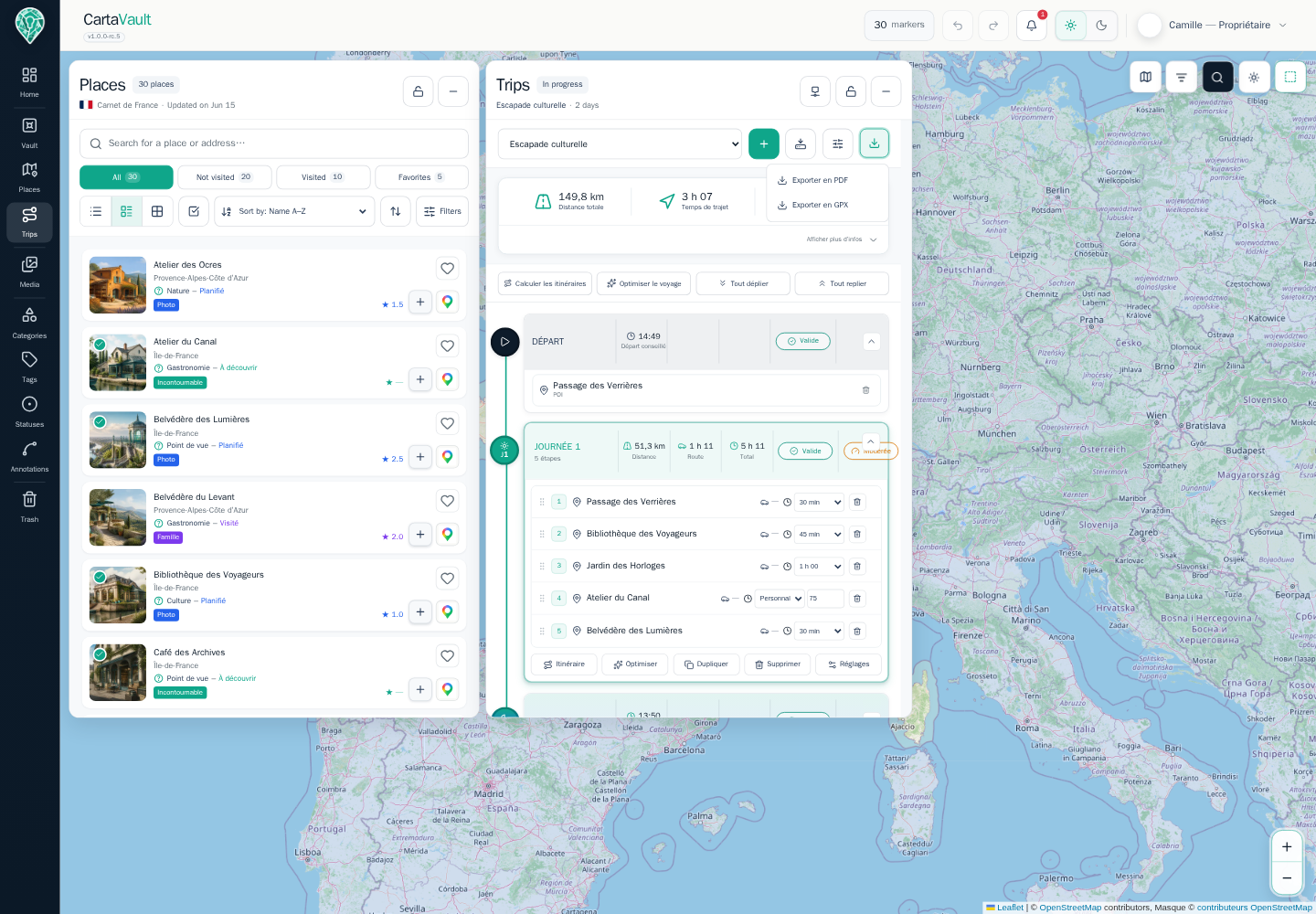
Export a trip — desktop screen
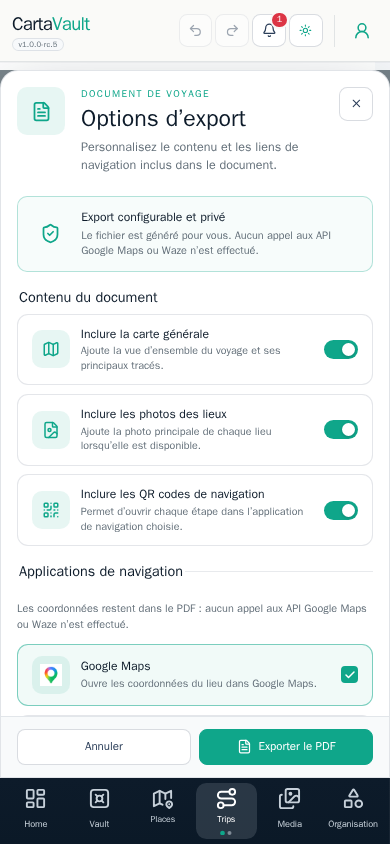
Export a trip — mobile screen
How do I use it?
Section titled “How do I use it?”- Choose the appropriate format.
- Configure available options, especially for PDF.
- Generate and download the file.
Expected result
Section titled “Expected result”PDF combines days, stops, useful details and permitted media.
How does it work?
Section titled “How does it work?”- PDF combines days, stops, useful details and permitted media.
- GPX and KMZ preserve geography within format capabilities.
- Google Maps/Waze links remain dependent on the external service.
Good to know
Section titled “Good to know”See also
Section titled “See also”Version CartaVault : master · ID : trips.exports