
Manage public registration
What is this feature for?
Section titled “What is this feature for?”A private family instance can remain closed while a public service accepts controlled requests.
Before you start
Section titled “Before you start”| Where can I find it? | Administration → General → Public registration |
| Access | Administrator |
Where can I find it?
Section titled “Where can I find it?”Follow this path in the interface : Administration → General → Public registration.
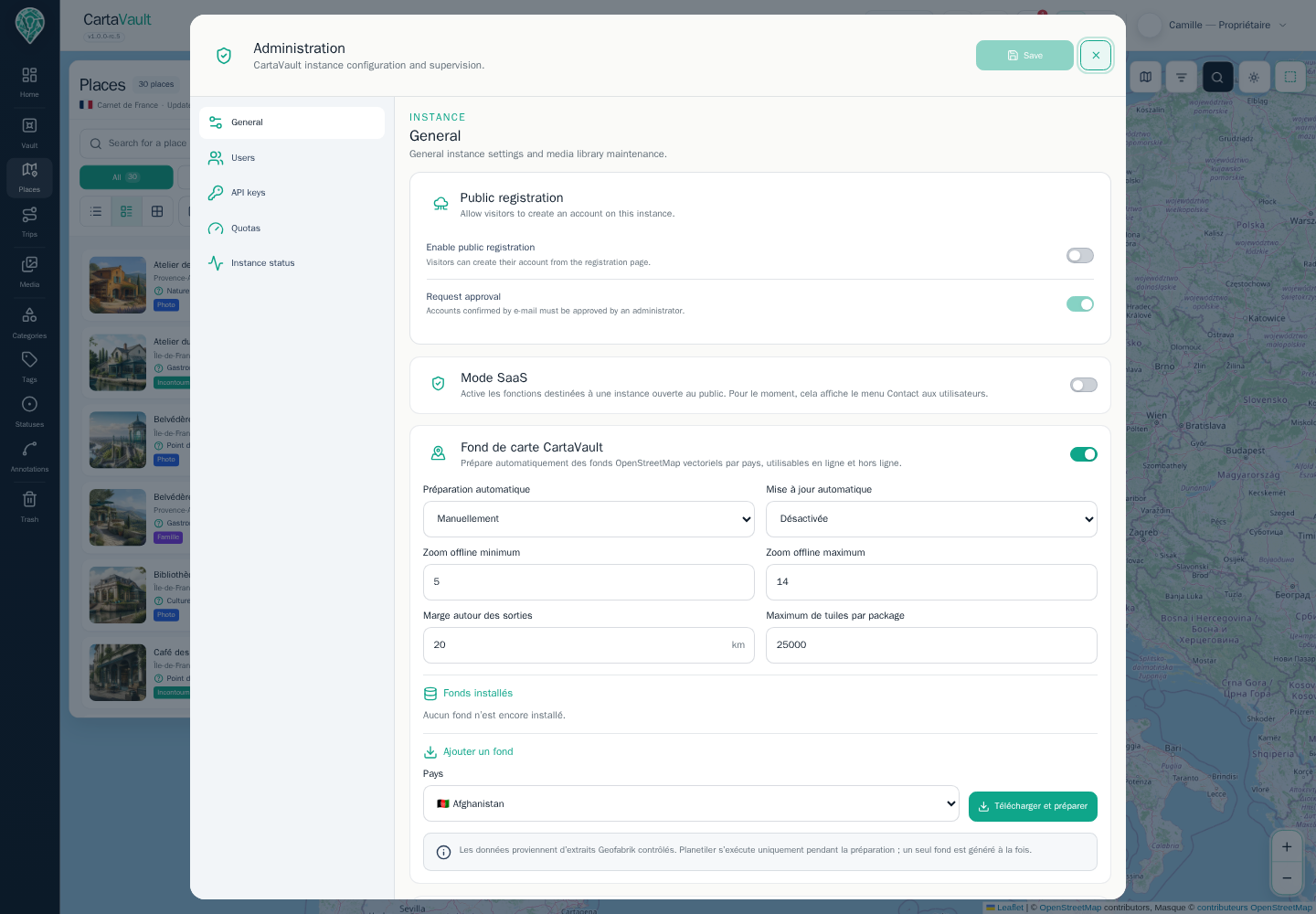
Manage public registration — desktop screen
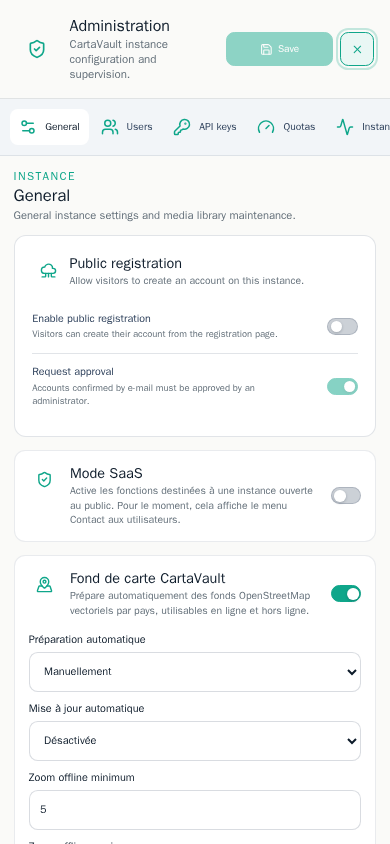
Manage public registration — mobile screen
How do I use it?
Section titled “How do I use it?”- Enable or disable registration.
- Choose whether verified accounts need administrator approval.
- Save, then review requests from Users.
Expected result
Section titled “Expected result”Email verification happens before optional approval.
How does it work?
Section titled “How does it work?”- Email verification happens before optional approval.
- Disabling registration does not erase existing requests.
- Public responses avoid unnecessarily revealing whether an account exists.
Good to know
Section titled “Good to know”See also
Section titled “See also”Version CartaVault : master · ID : admin.registration