
Manage place photos
What is this feature for?
Section titled “What is this feature for?”Images document a place’s condition and access. CartaVault links them to the record without becoming a full-resolution archive.
Before you start
Section titled “Before you start”| Where can I find it? | Place record → Media |
| Access | Map owner, Editor, Viewer |
Where can I find it?
Section titled “Where can I find it?”Follow this path in the interface : Place record → Media.
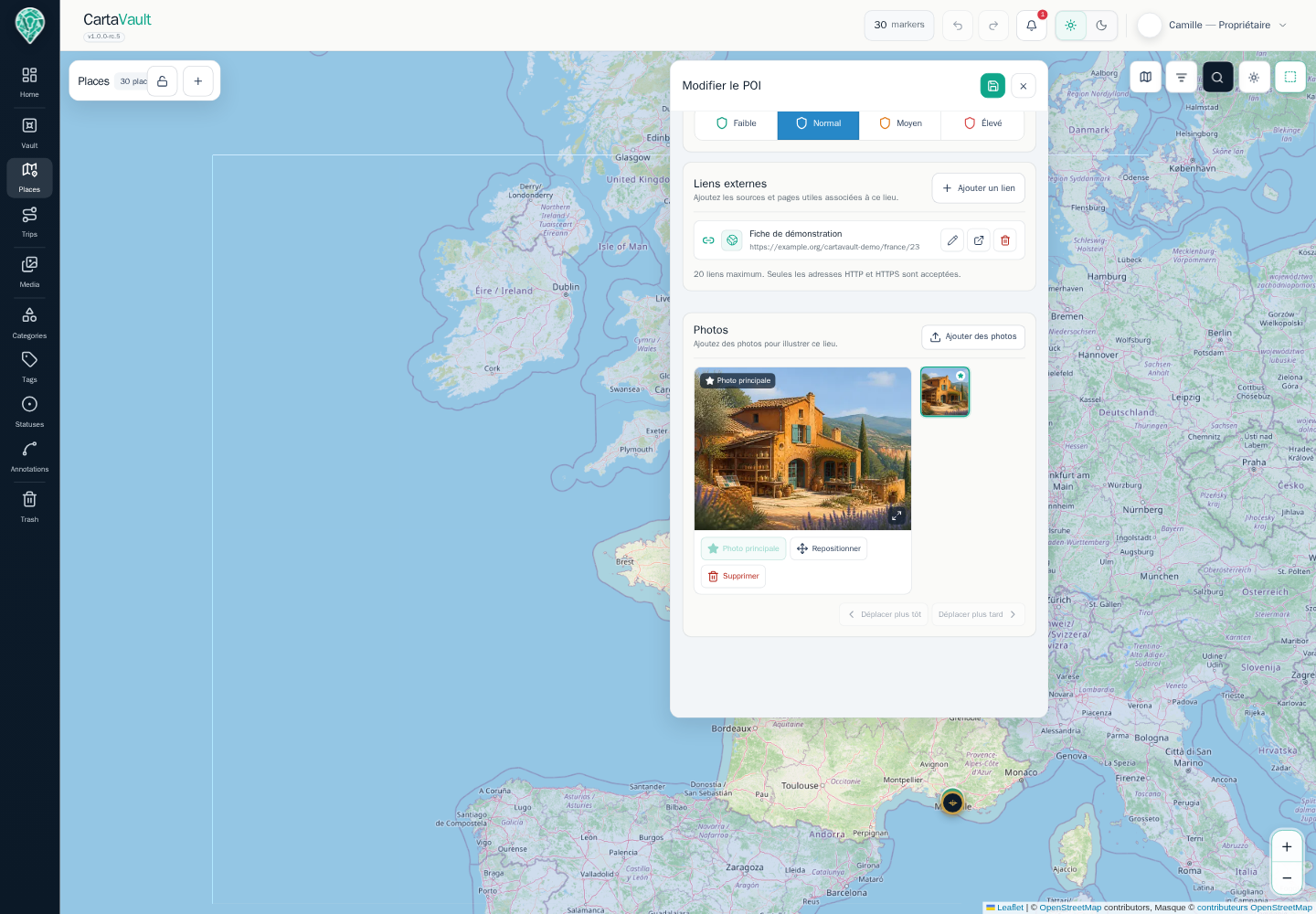
Manage place photos — desktop screen
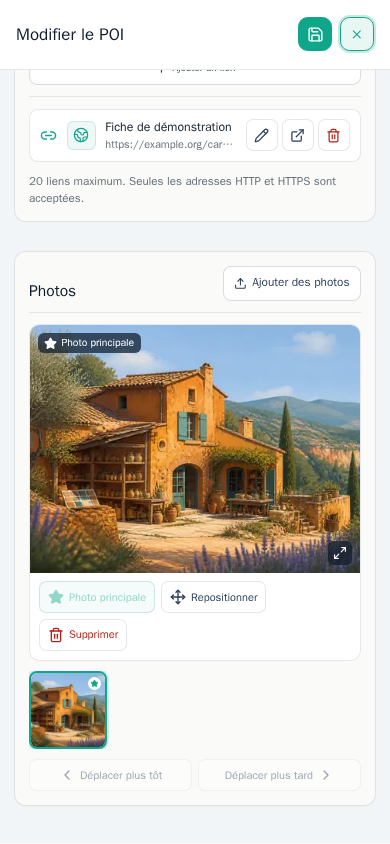
Manage place photos — mobile screen
How do I use it?
Section titled “How do I use it?”- Upload one or more images.
- Choose the primary image, order and focal point when needed.
- Open the viewer to browse the gallery.
Expected result
Section titled “Expected result”Images are validated, optimized and stored separately.
How does it work?
Section titled “How does it work?”- Images are validated, optimized and stored separately.
- The focal point stabilizes thumbnail cropping.
- Read and edit rights follow map permissions.
Good to know
Section titled “Good to know”See also
Section titled “See also”Version CartaVault : master · ID : places.media