
Understand sharing and permissions
What is this feature for?
Section titled “What is this feature for?”Permissions support collaboration on private maps without granting more access than required.
Before you start
Section titled “Before you start”| Access | User, Map owner, Editor, Viewer, Administrator |
Illustration
Section titled “Illustration”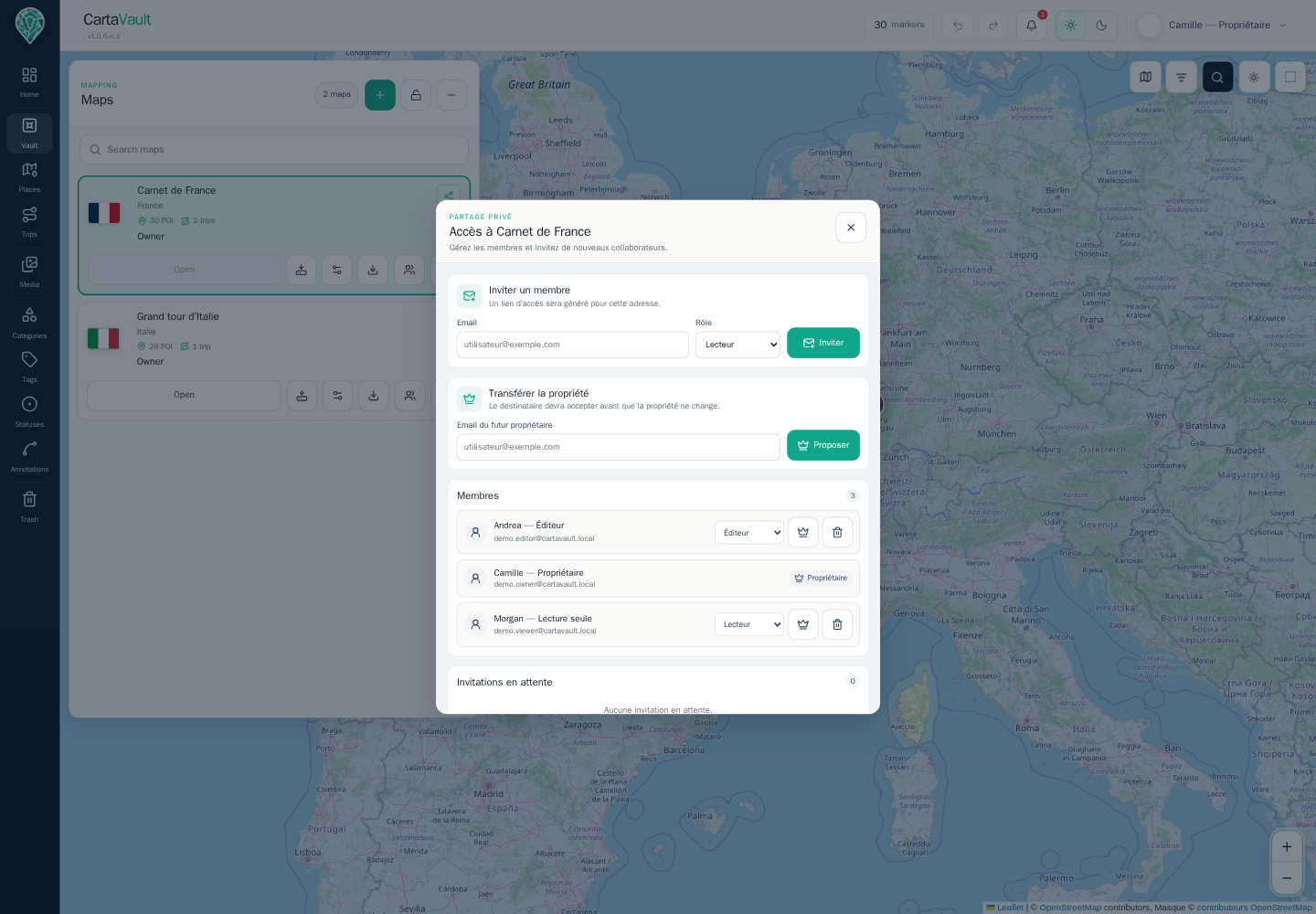
Understand sharing and permissions — desktop screen
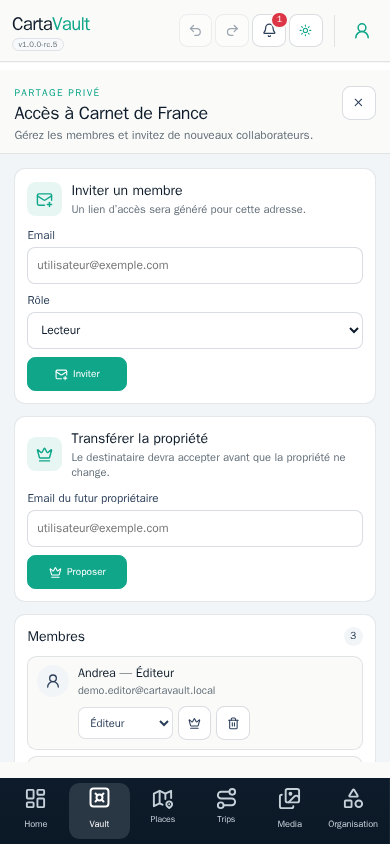
Understand sharing and permissions — mobile screen
How do I use it?
Section titled “How do I use it?”- The owner invites an email address.
- They choose viewer or editor access.
- The recipient accepts; the owner can later change or revoke access.
Expected result
Section titled “Expected result”The owner controls members and ownership transfer.
How does it work?
Section titled “How does it work?”- The owner controls members and ownership transfer.
- Editors change permitted content; viewers have read-only access.
- Instance administrator status does not implicitly expose private maps.
Good to know
Section titled “Good to know”See also
Section titled “See also”Version CartaVault : master · ID : concepts.permissions