
Trips and days
Create and select a trip
Section titled “Create and select a trip”Open a map, then Trip mode. Create a trip, give it a name, and select it from the list. Statuses distinguish current, completed, and archived trips.
The panel can be resized within limits that keep its information usable. Collapsing it frees map width while preserving full height.
Trip settings
Section titled “Trip settings”Settings include the name, description, departure and arrival dates, day-load thresholds and colors, duplicate/archive/delete controls, and the save action.
Editing the arrival date can automatically create or remove the required days and nights. Unsaved changes prompt for confirmation when settings close or context changes.
Departure and arrival
Section titled “Departure and arrival”Select Departure or Arrival, then drag a place from Places or use a map-search result. An external result remains a free location; an existing POI stays linked to its record.
Click the displayed location to open the appropriate popup. The delete icon clears the anchor. Arrival can show an estimated time based on the final route.
Add and arrange days
Section titled “Add and arrange days”Use the top control to add a day. A night normally connects two days. Reorder days by dragging their header; the associated night follows. If the new final day has no following day, an extra night is removed.
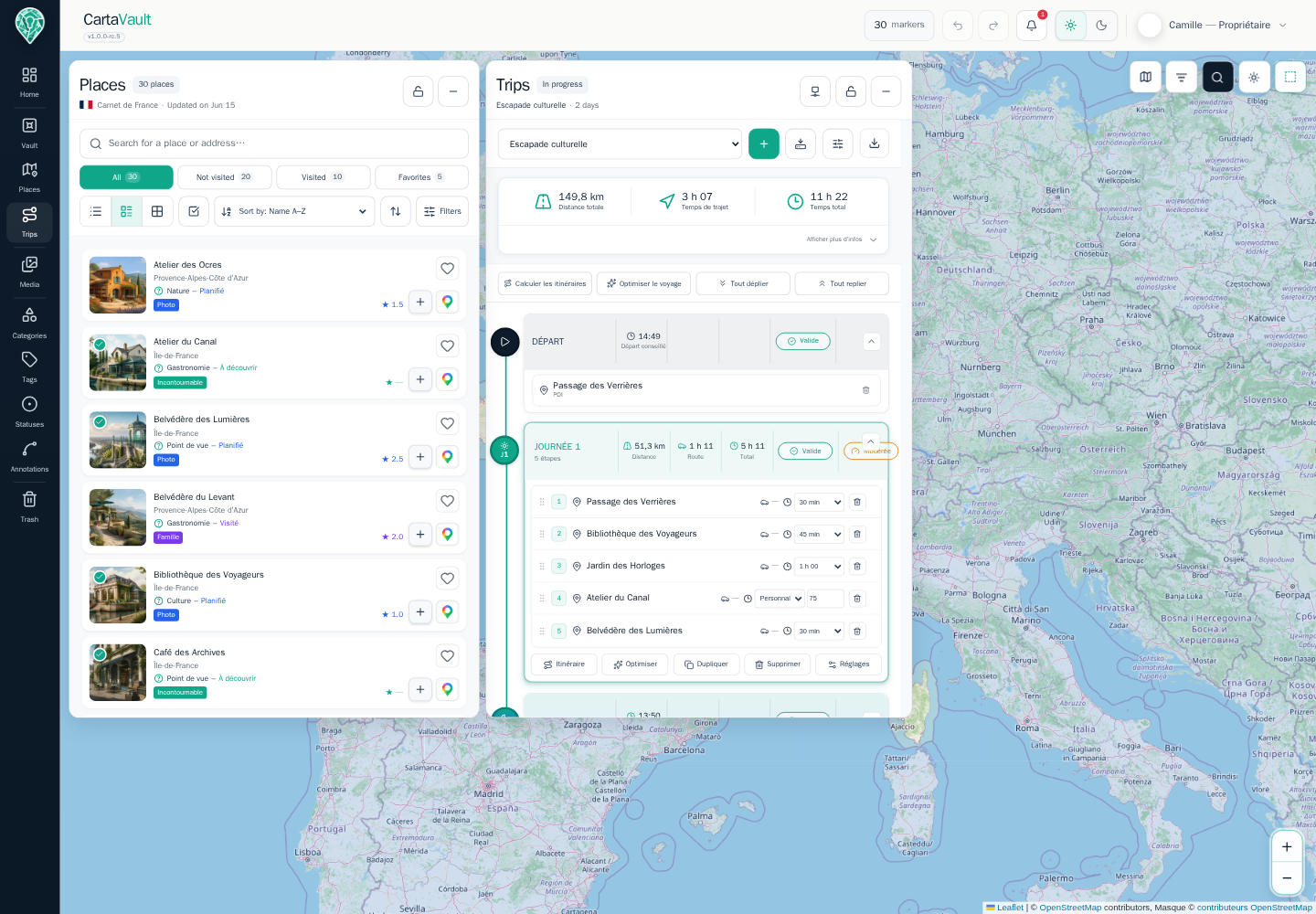
The active day has a stronger border. Its settings control departure time, durations, constraints, and day-specific values.
Add stops
Section titled “Add stops”Select the target day, then drag a POI, use Add to day X from an eligible record, add a map-search result, or use bulk place selection.
One record can be added repeatedly. Reorder stages with drag and drop. Cancelled drags clear their drop zones and route-line hints.
Visit duration
Section titled “Visit duration”Each stop starts with the POI duration or 30 minutes. Change the selector for that occurrence only; the original POI default is not modified.
Nights
Section titled “Nights”A night is accommodation between two days. Select it, then add or replace its location through drag and drop or map search. Its simplified record stores description, website, arrival/departure ranges, and several private photos.
Night photos are not added to the map media library. Gallery controls appear only while the image is hovered.
Day actions
Section titled “Day actions”- Route calculates or recalculates one day.
- Optimize prepares an ordering proposal.
- Duplicate copies the day and stages.
- Delete removes the day after confirmation.
- Settings opens day settings and stays filled while active.
Load and validation
Section titled “Load and validation”Badges identify empty, valid, uncalculated, or review-required days. Low, moderate, and high load use the minute thresholds configured in trip settings.
Continue with Routing and optimization and Timeline and exports.