
Places and POI records
Three ways to add a place
Section titled “Three ways to add a place”Manual creation
Section titled “Manual creation”Use the + button in Places. Enter a name and position, then useful metadata. If visit duration is empty, CartaVault uses 30 minutes when adding the place to a trip.
Search result
Section titled “Search result”Search for a name, address, or coordinates on the map. Select a result, verify its position, then create the place. A result can also become a free trip stage without creating a permanent POI.
KML/KMZ import
Section titled “KML/KMZ import”Import previews the file before writing and reports duplicates, media, and warnings. See Media, imports, and exports.
Main information
Section titled “Main information”- Name: label used by lists, popups, trips, and exports.
- Coordinates: marker latitude and longitude.
- Region: automatically derived or manually entered.
- Visit duration: reused when the place joins a trip.
- Description: context and practical information.
- Condition, access, and danger: optional fields controlled by map settings.
- Construction or abandonment dates: specialized metadata that can be hidden per map.
Renaming a POI also refreshes its name in linked trips.
Category, status, and tags
Section titled “Category, status, and tags”A place supports several categories with one primary category, one tracking status, and several tags. See Organization and search for management details.
Rating and favorite
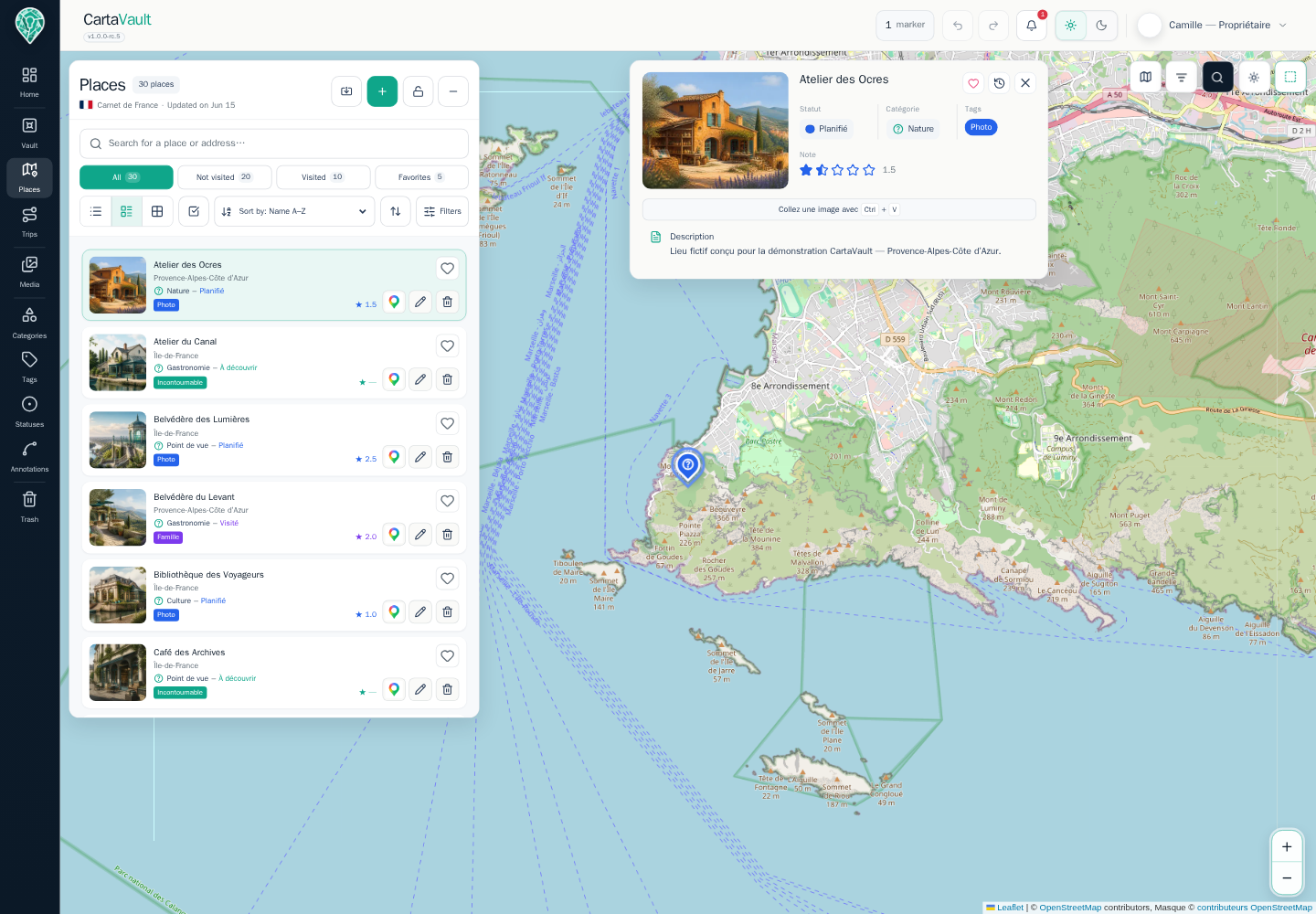
Section titled “Rating and favorite”Change the rating directly in the popup in half-star increments. Hover to preview, then click to save. The list refreshes after validation. Toggle favorite from the record or place card.
Named links
Section titled “Named links”Store multiple web addresses with explicit labels such as Official website, Tickets, or Article. External links stays collapsible to protect readability. Use complete https:// URLs.
Photos
Section titled “Photos”A record can hold several images. Upload a file or paste a clipboard capture with Ctrl+V when editing is allowed. Browse with gallery controls or keyboard arrows, open full size, reorder, and select the primary image.
In Trip mode, a permanent POI remains readable but edit and delete actions are hidden. Clipboard upload there is reserved for search-derived locations without a classic POI record.
Detailed history
Section titled “Detailed history”The history action opens auditable events for creation, editing, trash, restore, photos, categories, tags, primary category, and links. Structured changes display before/after values where available.
Server history explains persisted mutations and is separate from the interface’s Undo/Redo controls.
Edit or delete
Section titled “Edit or delete”Edit and Delete appear in Places mode when your role allows them. Deletion moves the place to trash first. Trip references follow server safeguards. Permanent deletion from trash cannot be undone.
Reuse a place
Section titled “Reuse a place”The same POI can appear several times in a trip. A check badge on its thumbnail indicates that it is already used without disabling it, allowing repeated accommodation or meeting points.